# Use payment modal
MONEI Payment Modal is the simplest way to securely collect payments from your customers without them leaving your website.
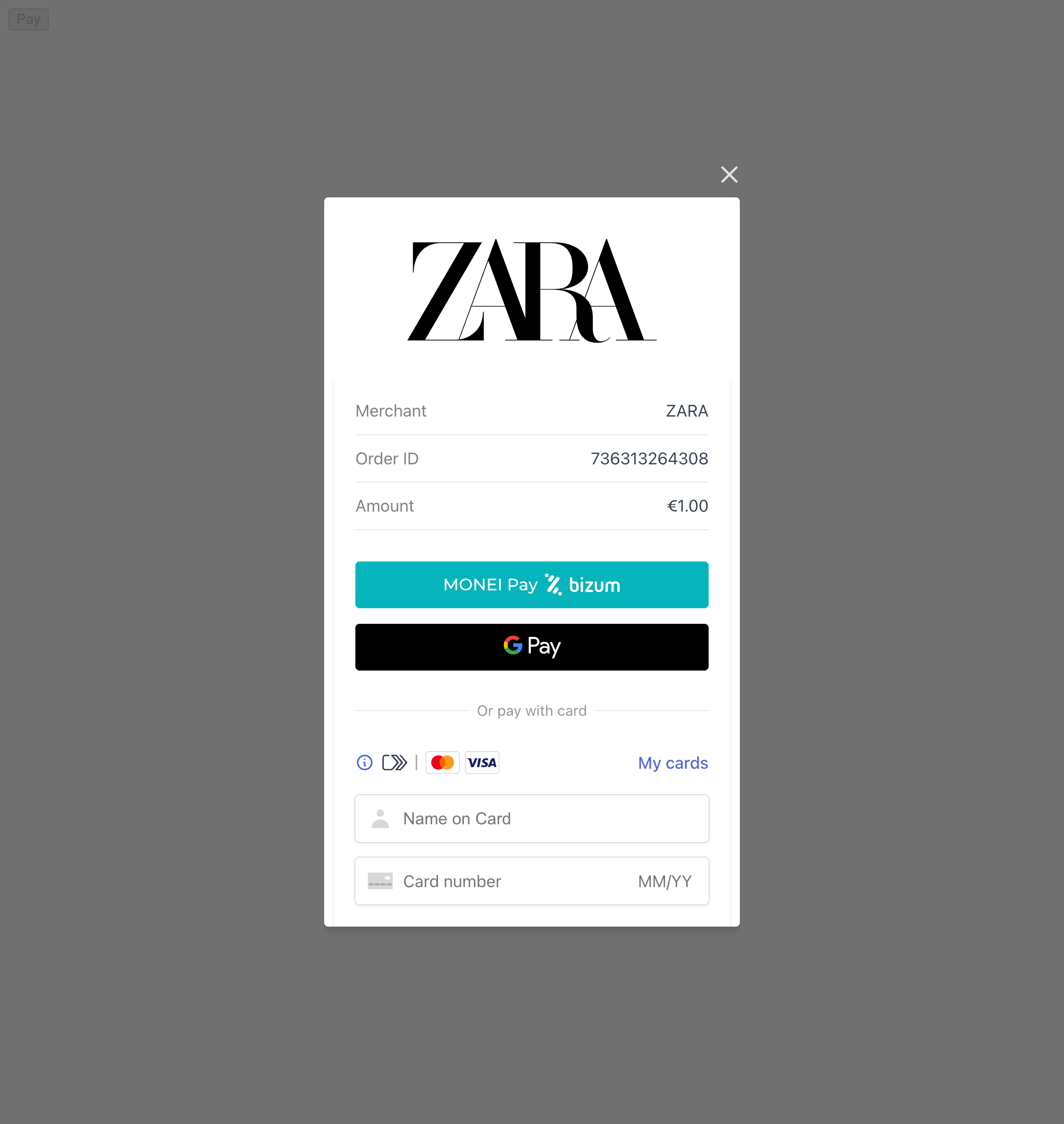
Collecting payments on your website consists of creating a payment object, and confirming the payment.
important
Apple Pay is not available when using MONEI Payment Modal integration.
## Before You Begin[](#before-you-begin "Direct link to Before You Begin")
* You'll need a MONEI account and your API keys (test or live). Find them in your [MONEI Dashboard](https://dashboard.monei.com/settings/api).
* Use your [test mode keys](https://docs.monei.com/testing/.md) for integration testing.
* Ensure relevant payment methods are enabled in your account settings.
* You can monitor test payments in your [MONEI Dashboard → Payments](https://dashboard.monei.com/payments) (ensure Test Mode is active).
## How It Works[](#how-it-works "Direct link to How It Works")
1. Your **backend** creates a payment and receives a `payment.id`
2. The **payment.id** is passed to your client-side page
3. Calling `monei.confirmPayment()` opens a **modal popup** where the customer pays (including 3D Secure if required)
4. MONEI sends the final payment status to your **backend** via webhook
## Integration Steps[](#integration-steps "Direct link to Integration Steps")
### 1. Create Payment (Server-side)[](#1-create-payment-server-side "Direct link to 1. Create Payment (Server-side)")
Create a [Payment](https://docs.monei.com/apis/rest/schemas/payment/.md) on your server with an amount and currency. Always decide how much to charge on the server side, a trusted environment, as opposed to the client. This prevents malicious customers from being able to choose their own prices.
* cURL
* Node.js
* PHP
* Python
POST https\://api.monei.com/v1/payments
```
curl --request POST 'https://api.monei.com/v1/payments' \
--header 'Authorization: YOUR_API_KEY' \
--header 'Content-Type: application/json' \
--data-raw '{
"amount": 110,
"currency": "EUR",
"orderId": "14379133960355",
"description": "Test Shop - #14379133960355",
"customer": {
"email": "email@example.com"
},
"callbackUrl": "https://example.com/checkout/callback"
}'
```
(Replace `YOUR_API_KEY` with your actual MONEI API key)
server.js
```
import {Monei} from '@monei-js/node-sdk';
// Replace YOUR_API_KEY with your actual MONEI API key
const monei = new Monei('YOUR_API_KEY');
const payment = await monei.payments.create({
amount: 110,
currency: 'EUR',
orderId: '14379133960355',
description: 'Test Shop - #14379133960355',
customer: {
email: 'email@example.com'
},
callbackUrl: 'https://example.com/checkout/callback'
});
// You will need the paymentId from the response in the next step
const paymentId = payment.id;
```
server.php
```
payments->create(
new CreatePaymentRequest([
'amount' => 110,
'currency' => 'EUR',
'order_id' => '14379133960355',
'description' => 'Test Shop - #14379133960355',
'customer' => new PaymentCustomer([
'email' => 'email@example.com'
]),
'callback_url' => 'https://example.com/checkout/callback'
])
);
// You will need the paymentId from the response in the next step
$paymentId = $payment->getId();
?>
```
server.py
```
import Monei
from Monei import CreatePaymentRequest, PaymentCustomer
# Replace YOUR_API_KEY with your actual MONEI API key
monei = Monei.MoneiClient(api_key="YOUR_API_KEY")
payment = monei.payments.create(
CreatePaymentRequest(
amount=110,
currency="EUR",
order_id="14379133960355",
description="Test Shop - #14379133960355",
customer=PaymentCustomer(
email="email@example.com"
),
callback_url="https://example.com/checkout/callback"
)
)
# You will need the paymentId from the response in the next step
payment_id = payment.id
```
**Key Parameters:**
* **amount** `positive integer`: Amount in the smallest currency unit (e.g., 110 for €1.10).
* **currency** `string`: Three-letter [ISO currency code](https://en.wikipedia.org/wiki/ISO_4217) (e.g., `EUR`).
* **orderId** `string`: Your unique order identifier.
* **callbackUrl** `string`: Your server endpoint URL for asynchronous webhook notifications.
Check all available [request parameters](https://docs.monei.com/apis/rest/payments-create/.md).
Included in the returned Payment object is a payment `id`. You will use this `paymentId` on the client-side in the next step.
### 2. Handle Payment Interaction (Client-side)[](#2-handle-payment-interaction-client-side "Direct link to 2. Handle Payment Interaction (Client-side)")
Use [`monei.js`](https://docs.monei.com/monei-js/reference/.md) to confirm the payment. This will trigger the payment modal pop-up.
Include `monei.js` on your checkout page:
checkout.html
```
Checkout
```
Use the `paymentId` obtained in Step 1 to call `monei.confirmPayment`. You can also provide additional parameters like `customer.email`. Check all available [parameters](https://docs.monei.com/monei-js/reference/.md#confirmpayment-function).
client.js
```
// Get the paymentId passed from your server
const paymentId = '{{payment_id}}'; // Replace with the actual paymentId
const paymentForm = document.getElementById('payment-form');
const paymentButton = document.getElementById('payment-button');
paymentForm.addEventListener('submit', function (event) {
event.preventDefault();
paymentButton.disabled = true;
monei
.confirmPayment({paymentId: paymentId}) // Pass the paymentId here
.then(function (result) {
paymentButton.disabled = false;
// This result reflects the immediate outcome of the modal interaction (e.g., user closed, initial success).
// Always rely on the webhook (Step 3) for the definitive final payment status.
console.log('Payment confirmation result:', result);
if (result.status === 'SUCCEEDED' || result.status === 'PENDING') {
// Optionally, inform the user that payment is processing.
handleResult(result);
} else {
// Handle errors like user cancellation or immediate failures.
handleError(result);
}
})
.catch(function (error) {
paymentButton.disabled = false;
console.error('Error confirming payment:', error);
// Handle network errors or other issues.
});
});
function handleResult(result) {
// Redirect to a success/pending page or update UI.
// Remember: Final confirmation comes via webhook.
console.log('Handling result:', result);
alert('Payment status: ' + result.status + '. Waiting for final confirmation.');
}
function handleError(result) {
// Show error message to the user.
console.error('Handling error:', result);
alert('Payment failed or was cancelled. Status: ' + result.status);
}
```
After the form is submitted, MONEI automatically shows a pop-up window with a payment page to collect payment details and handle any necessary 3D Secure confirmation.
Alternative: Prebuilt Page
If you prefer redirecting the customer instead of using an on-site modal, see the [Prebuilt Payment Page guide](https://docs.monei.com/integrations/use-prebuilt-payment-page/.md).
### 3. Process Webhook Notification (Server-side)[](#3-process-webhook-notification-server-side "Direct link to 3. Process Webhook Notification (Server-side)")
MONEI sends the final, authoritative payment status via an asynchronous HTTP POST request to the `callbackUrl` you provided in Step 1. The request body contains the full [Payment object](https://docs.monei.com/apis/rest/schemas/payment/.md) in JSON format.
This webhook ensures you get the definitive status even if the customer closes their browser prematurely.
**Crucially, you must:**
1. **Verify the `MONEI-Signature` header** included in the request. This confirms the webhook genuinely came from MONEI. See the [Verify Signatures guide](https://docs.monei.com/guides/verify-signature/.md) for implementation details.
2. **Return a `200 OK` HTTP status code** immediately upon receiving the webhook to acknowledge receipt. Any other status code (including `3xx` redirects) tells MONEI the notification failed.
If MONEI doesn't receive a `200 OK`, it will retry sending the webhook multiple times over several days before marking it as failed.
Example Webhook Payload (POST to your callbackUrl)
```
{
"id": "af6029f80f5fc73a8ad2753eea0b1be0",
"amount": 110,
"currency": "EUR",
"orderId": "14379133960355",
"status": "SUCCEEDED", // Or FAILED, CANCELED, EXPIRED etc.
"customer": { ... },
// ... other payment details ...
"createdAt": 1594215339,
"updatedAt": 1594215345
}
```
Once the signature is verified, inspect the `status` field in the Payment object to determine whether to fulfill the order or handle a failure.