Multiple stores and accounts
You can manage multiple stores within one MONEI account, and you can also create more than one account using the same business details. This page covers both.
Multiple stores
Yes, it's possible to manage multiple stores from one MONEI account. There's no extra cost as long as it's the same business entity, selling the same products.
Once you add a new store, you can:
- Create unique store IDs
- View and sort transaction history by store ID
How to add a new store
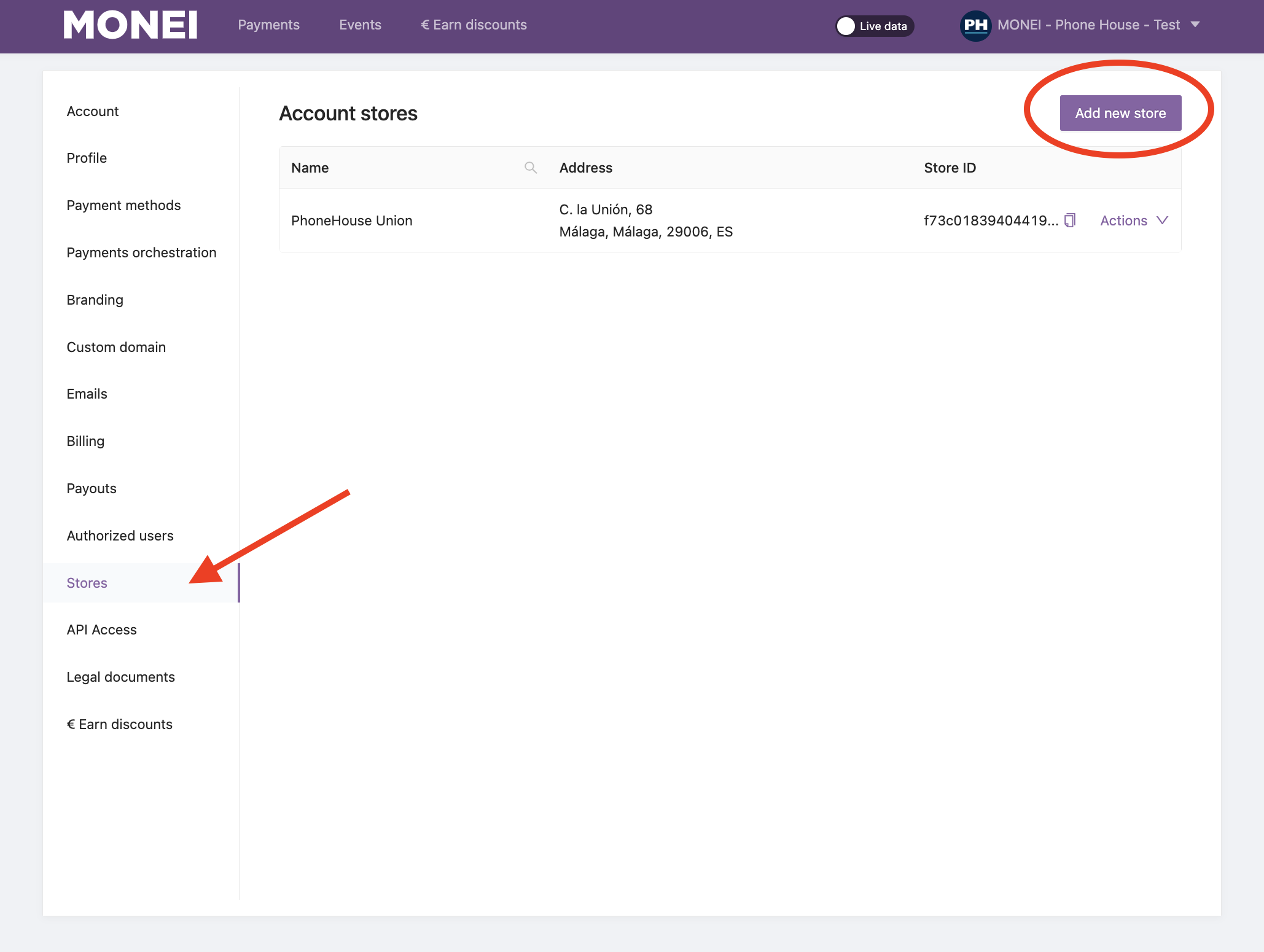
- Go to Settings in your dashboard
- Click on Stores
- Click on Add new store
- Complete the form
- Click Add
Multiple accounts
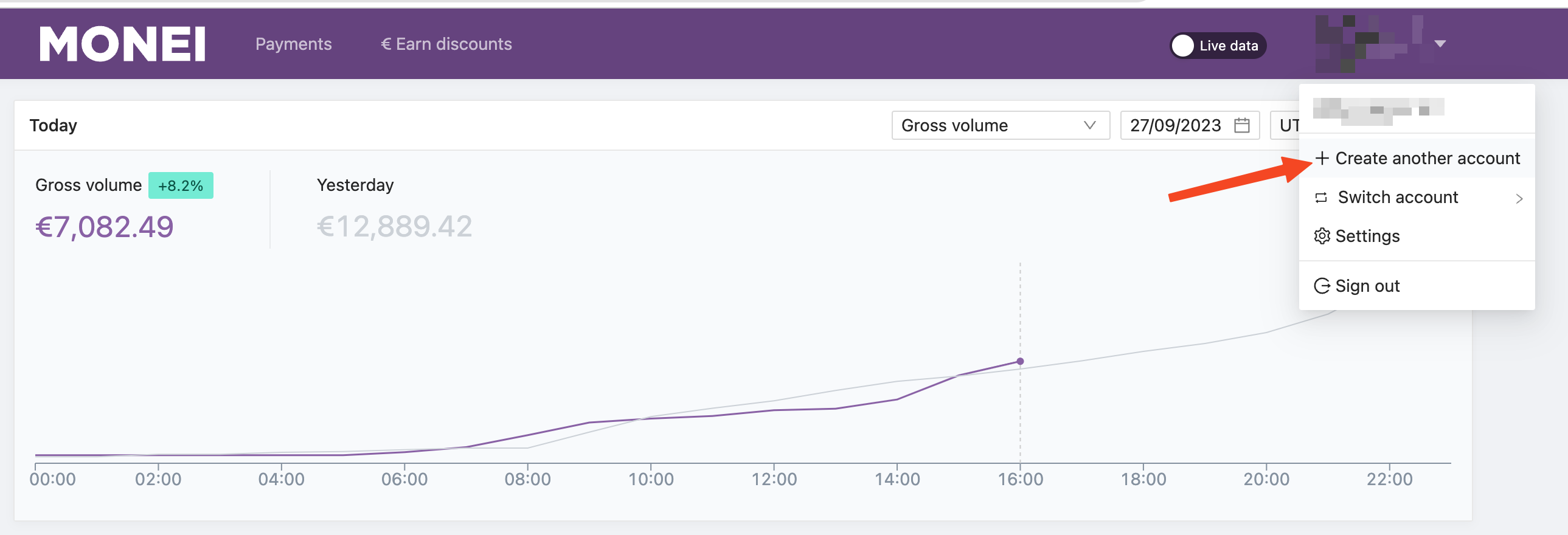
Yes, you can create more accounts using the same business details by clicking Create another account in your user dashboard.
Some reasons why you might need more than one account include:
- Setting up separate integrations
- Choosing different billing plans
You cannot create more accounts with the same business details by registering them separately from the signup page. When you create a new account from an existing account, you are still the owner, but you can add another user as an admin.